

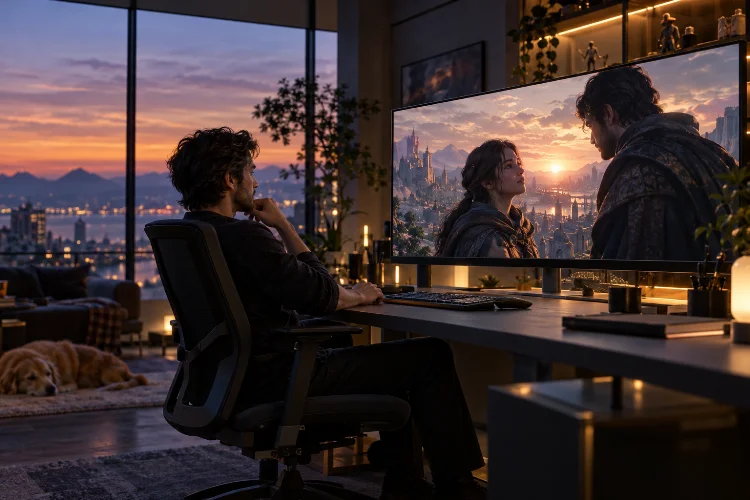
Ever played a video game where a dramatic cutscene felt so natural that you almost forgot you were watching a scripted moment?
Maybe the camera slowly revealed a mysterious character, or an emotional conversation unfolded without interrupting the game world. That’s the magic of well-designed real-time cinematics.
Unlike traditional pre-rendered videos, real-time cinematics are generated directly by the game engine while the game is running.
Characters, lighting, environments, and camera movements can respond to what is happening in the player’s world. This creates exciting opportunities for developers who want to deliver memorable stories without breaking immersion.
However, designing real-time cinematics for immersive video game stories involves much more than placing cameras and triggering animations. It requires a careful balance between cinematic storytelling, interactive design, technical performance, and player expectations.
From camera composition and character performances to environmental storytelling and seamless gameplay transitions, every creative decision influences how players experience the narrative.
In this guide, we’ll explore the essential techniques, production tools, and practical strategies behind creating engaging in-engine cinematic sequences that feel like a natural part of gameplay.
1. Understanding Real-Time Cinematics in Modern Game Development
What Makes Real-Time Cinematics Different?
Traditional pre-rendered cutscenes are produced ahead of time and played back as video files. While they can deliver impressive visual quality, their content generally cannot respond dynamically to the player’s actions.
Real-time cinematics work differently because the game engine renders each frame during playback. This means characters can wear customized outfits, environmental conditions can change, and certain narrative details can reflect earlier gameplay decisions.
Imagine a role-playing game where your character enters a castle after surviving a difficult battle. Their damaged armor, equipped weapon, and companion relationships can remain visible during the following conversation.
That continuity makes the experience feel more personal because the cinematic represents the player’s actual journey rather than a completely seperate production.
Why Real-Time Storytelling Improves Immersion
Immersion depends heavily on consistency. When visual styles, characters, and environments remain connected between gameplay and story sequences, players are less likely to feel disconnected from the experience.
Real-time rendering also supports more flexible storytelling structures. Developers can create cinematic moments that respond to character positions, gameplay conditions, and different story outcomes.
However, flexibility introduces technical challenges. Every cinematic must operate within the hardware limitations of the game rather than relying on unlimited offline rendering time.
The goal isn’t simply to reproduce Hollywood filmmaking techniques. It’s to adapt those techniques to interactive worlds where player agency and responsiveness remain important.
2. Planning Cinematic Storytelling Before Production
Start With the Emotional Purpose
A compelling cinematic begins with a clear storytelling objective, not an expensive visual effect.
Before designing camera movements or animation sequences, identify what the scene needs players to feel. Is the moment supposed to create tension, reveal a betrayal, establish a relationship, or provide emotional relief?
Consider a science-fiction adventure where a player discovers that a trusted teammate has secretly sabotaged their mission.
The cinematic could begin with the teammate standing confidently beside a damaged control panel. As the truth emerges, a slow camera movement reveals the sabotage equipment hidden behind them.
This approach lets visual storytelling reinforce the dialogue instead of merely illustrating it.
Build Scenes Around Narrative Beats
Narrative beats are meaningful moments that change the direction or emotional intensity of a scene.
A useful cinematic structure might begin with anticipation, introduce new information, escalate conflict, and finish with a consequence that affects the player’s next action.
For example, a confrontation scene could start with an uncomfortable silence before a character reveals an unexpected secret. A sudden environmental disturbance might then interrupt the argument, forcing the player to react.
Each beat should have a recognizable purpose. If a camera shot, animation, or dialogue exchange contributes nothing to the emotional progression, consider shortening or removing it.
Use Storyboards and Animatics
Storyboards help visualize camera positions, character blocking, and scene transitions before expensive production work begins.
Animatics take this further by combining rough images, temporary audio, and approximate timing into a basic sequence.
For game developers, simple in-engine blocking is often equally valuable. Basic character models and placeholder cameras can reveal pacing problems long before final assets are ready.
Early testing also makes it easier to determine whether a scene should remain fully cinematic or allow partial player interaction.
3. Mastering Cinematic Camera Design and Composition
Choosing Camera Angles That Support the Story
Camera placement influences how players interpret characters and situations.
A low-angle shot can make a powerful enemy appear intimidating, while a high-angle composition might communicate vulnerability or isolation. Close-ups highlight emotional reactions, whereas wide shots establish spatial relationships.
These techniques are especially effective when used intentionally rather than constantly.
Imagine a hero entering an abandoned underground facility. A wide establishing shot communicates the enormous scale of the environment, while a closer perspective reveals nervous expressions as unfamiliar sounds echo through the room.
The shift between perspectives guides attention without requiring additional exposition.
Creating Natural Camera Movement
Smooth camera motion can make digital cinematics feel surprisingly film-like.
Tracking shots follow a subject through the scene, dolly movements gradually alter the viewer’s relationship with a character, and controlled camera rotations reveal information over time.
However, unnecessary movement can become distracting.
A camera that continuously circles characters during ordinary dialogue may look impressive initially, but it can weaken the emotional focus. Sometimes a stable composition communicates more than an elaborate camera rig.
Unreal Engine’s Cine Camera Actor provides film-oriented controls such as lens settings, focus, and filmback configuration. Unity’s Cinemachine offers procedural tracking, composition, and shot blending.
Both approaches help developers establish consistent virtual cinematography without manually scripting every movement.
Understanding Focus and Visual Hierarchy
Depth of field, framing, and contrast can direct attention toward the most important part of a scene.
For instance, keeping a character sharply focused while softening a distant background may strengthen a personal conversation. A gradual focus shift can then reveal another character listening nearby.
Use these effects carefully during interactive transitions. Aggressive blur or sudden focal changes can make the player’s return to gameplay uncomfortable.
The most effective cinematography feels intentional but almost invisible, encouraging players to focus on the story rather than the camera system.
4. Creating Believable Character Animation and Performances
Facial Expressions and Emotional Communication
Characters are often the emotional center of a cinematic sequence.
Even when environmental graphics look incredible, stiff expressions and unnatural body movements can undermine an otherwise powerful scene.
Facial animation should communicate more than spoken words. Raised eyebrows, subtle eye movements, tightened lips, and small changes in breathing can reveal emotions that dialogue never explicitly mentions.
Modern performance-capture workflows help translate an actor’s expressions into digital animation. Tools such as MetaHuman Animator support generating character performances from supported video, audio, and depth-based capture sources.
Still, capturing realistic movement doesn’t automatically create a convincing performance.
Animators must refine timing, expressions, and transitions to make characters feel beleivable within their fictional world.
Body Language and Character Personality
Body language frequently communicates personality more effectively than dialogue.
A confident commander might stand upright and maintain direct eye contact. A frightened civilian may shift their weight, avoid looking at others, or keep their hands close to their body.
These details become particularly important when creating emotionally complex interactions.
For a character hiding important information, a brief hesitation before answering can communicate uncertainty without changing the script.
Developers should also consider animation consistency. Characters shouldn’t suddenly switch from expressive cinematic performances to completely rigid gameplay behaviors.
Blending Animation Between Gameplay and Cutscenes
One major challenge involves transferring characters between gameplay animation systems and cinematic sequences.
If a running character suddenly snaps into a standing pose when a cutscene begins, the interruption becomes immediately noticeable.
Animation blending helps solve this problem by transitioning between movement states over time.
A cinematic might begin with the player character naturally slowing down, turning toward an NPC, and entering a conversational stance.
When the sequence finishes, control can return through a matching movement animation rather than an abrupt reset.
5. Using Lighting, Environments, and Sound to Build Atmosphere
Lighting as a Narrative Device
Lighting does more than make characters and environments visible. It establishes mood, directs attention, and communicates emotional changes.
Warm lighting can suggest comfort, safety, or nostalgia. Cool tones may create emotional distance, while strong shadows can reinforce mystery and danger.
Imagine an emotional reunion taking place inside a ruined building.
Soft sunlight entering through broken windows might communicate hope despite the surrounding destruction. As the conversation becomes more serious, shifting clouds could gradually reduce the available light.
The enviroment itself begins supporting the emotional progression.
Lighting changes should remain consistent with the world, particularly when the cinematic transitions directly into gameplay.
Environmental Storytelling and Scene Detail
A memorable location communicates information before any character speaks.
Damaged equipment, abandoned personal belongings, weathered architecture, and environmental sounds can reveal what happened in an area.
These details create narrative context without requiring lengthy explanations.
For example, an empty children’s classroom inside a deserted space colony could immediately suggest that something terrible occurred.
A cinematic camera slowly moving past abandoned drawings might communicate more emotional information than several lines of exposition.
Sound Design and Musical Timing
Sound frequently determines whether a cinematic feels emotionally powerful or strangely empty.
Dialogue clarity, environmental ambience, footsteps, and carefully timed musical cues all contribute to the storytelling experience.
Silence can be especially effective.
During a dramatic revelation, briefly removing the background music may create more tension than adding a louder soundtrack.
Audio transitions also matter. Environmental sounds should usually continue naturally between cinematics and gameplay unless a deliberate change serves the story.
6. Connecting Real-Time Cinematics With Player Agency
Designing Seamless Gameplay Transitions
One of the biggest advantages of in-engine storytelling is the potential to move between interactive gameplay and directed scenes without obvious interruptions.
A player might approach a mysterious door, trigger a short cinematic reveal, and regain control while still standing in the same location.
To make this work, developers must coordinate camera positions, character animations, input handling, and world-state updates.
A practical technique involves beginning a cinematic from the current gameplay camera and gradually blending toward a carefully composed story shot.
When the scene ends, the camera can transition back toward the gameplay perspective.
The result feels more cohesive than a sudden switch between unrelated viewpoints.
Creating Cinematics That Respond to Player Choices
Interactive storytelling becomes more compelling when cinematics acknowledge previous decisions.
An NPC might react differently depending on whether the player helped them earlier. A defeated enemy may appear wounded, or a companion may stand nearby based on their current relationship status.
These variations don’t always require entirely different cutscenes.
Developers can reuse camera setups and animation structures while changing dialogue, character bindings, facial reactions, or environmental details.
In Unreal Engine, dynamic binding workflows make it possible to connect cinematic tracks to different actors during runtime.
This supports reusable sequences that adapt to the active game state.
Balancing Cinematic Control and Freedom
Not every dramatic event requires taking control away from the player.
Some moments work better when players can move, observe, or interact while dialogue continues.
A companion revealing an important secret during exploration may feel more natural than forcing a traditional cutscene.
However, completely unrestricted movement can cause players to miss important narrative information.
A balanced approach uses subtel guidance through lighting, character positioning, sound, and level design.
Developers can reserve fully controlled sequences for moments where precise emotional timing or visual composition is essential.
7. Choosing the Right Game Engine Tools and Production Workflow
Unreal Engine Sequencer for Cinematic Production
Unreal Engine provides Sequencer, a multi-track editing system for organizing cameras, character animations, lighting changes, and other timed events.
Developers can construct cinematic scenes using keyframes and animation tracks while previewing the results inside the engine.
This workflow makes it easier for cinematic designers, animators, and technical artists to collaborate.
For example, an artist can adjust lighting while an animator refines character gestures without rebuilding the entire scene from scratch.
Blueprint scripting can also connect cinematic playback with gameplay triggers, dialogue conditions, and character states.
Unity Timeline and Cinemachine
Unity offers Timeline for organizing cinematic content, animation, audio sequences, and gameplay-related events.
Timeline assets provide a structured way to coordinate multiple scene elements, making them useful for cutscenes and scripted interactions.
Cinemachine complements this workflow by managing camera framing, tracking, and blending.
For instance, a developer creating a third-person adventure could use Cinemachine to smoothly transition from an exploration camera into a dialogue-focused composition.
The advantage is flexibility. Camera behavior can adapt when characters move or scene conditions change.
Building an Efficient Production Pipeline
A reliable cinematic pipeline starts with narrative planning and progresses through blocking, animation, lighting, audio integration, and performance testing.
Teams should establish clear naming conventions for cinematic assets and maintain consistent character rigs, animation standards, and camera configurations.
Reusable systems are particularly valuable in projects with extensive dialogue.
Instead of constructing every conversation from scratch, developers can create modular camera setups for common situations such as two-person conversations, confrontations, and group discussions.
These templates reduce repetitive work while leaving room for creative adjustments during important story moments.
8. Optimizing Real-Time Cinematics Without Sacrificing Visual Quality
Understanding Frame Budgets
Unlike offline-rendered scenes, real-time cinematics must operate within a fixed performance budget.
A game targeting 60 frames per second has approximately 16.7 milliseconds available per frame. At 30 frames per second, the budget increases to around 33.3 milliseconds.
These numbers represent total frame time, not just GPU rendering time.
Character animation, physics, scripting, asset streaming, and rendering all contribute to performance demands.
A visually stunning cinematic that causes severe frame drops can quickly damage immersion.
This makes optimization part of the creative process rather than something developers should consider only at the end.
Improving Rendering Efficiency
One useful technique involves allocating visual detail according to camera visibility.
Objects close to the camera may require higher-quality textures, detailed materials, and improved animation fidelity. Background elements can often use lower levels of detail.
Developers should also examine expensive lighting effects, shadow settings, particle simulations, and post-processing.
A cinematic filled with volumetric effects and numerous dynamic lights may look impressive, but the additional rendering cost might not justify the visual improvement.
Performance profiling tools help identify actual bottlenecks instead of relying on guesswork.
The key is preserving the elements players notice most while simplifying details that contribute little to the final composition.
Preparing Assets Before Playback
Sudden asset loading can cause visible stutters at the beginning of cinematic sequences.
Preloading important character models, animations, textures, and audio assets can help reduce these interruptions.
Teams should test sequences on the hardware platforms they intend to support, including less powerful systems.
A cinematic that runs flawlessly on a high-end development workstation might behave differently on a mid-range PC or console performance mode.
Testing on actual target configurations provides a more realistic picture of the experience players will receive.
9. Testing, Accessibility, and Final Cinematic Polish
Test Cinematics in Real Gameplay Conditions
A cinematic might work perfectly when played directly inside an editor but encounter problems during actual gameplay.
Characters may begin in unexpected positions, NPCs may be missing, or environmental objects may block important camera angles.
Testing should include different player states, equipment combinations, companion configurations, and story branches.
Developers should also examine what happens when players pause, skip, restart, or interrupt cinematic playback.
For example, skipping a sequence should still apply necessary story-state changes and place characters in valid gameplay positions.
Otherwise, a seemingly harmless feature can introduce serious progression bugs.
Make Storytelling Accessible
Accessibility should be considered during cinematic design rather than added at the last minute.
Readable subtitles, adjustable text sizes, dialogue audio controls, and sensible camera motion can make narrative content more comfortable for a wider audience.
Subtitle timing should account for emotional pauses and conversations involving multiple speakers.
Likewise, excessive camera shake or rapid movement may cause discomfort, particularly during long sequences.
Where appropriate, providing skip controls and options to replay important dialogue can improve the overall experience.
Polish the Small Details
Final quality often depends on details that are easy to overlook.
Check character eye contact, hand placement, lighting continuity, costume clipping, dialogue synchronization, and camera collisions.
A small animation inconsistency can become particularly noticeable during a close-up.
Repeated playtesting helps reveal moments where pacing feels awkward or visual information becomes confusing.
Ultimately, polishing a cinematic means ensuring that every technical and artistic element contributes to the same storytelling objective.
Designing real-time cinematics for immersive video game stories requires a combination of filmmaking principles, interactive storytelling, character animation, and technical optimization.
Great cinematic sequences don’t simply look impressive. They strengthen emotional connections, respond to player choices, and maintain continuity between directed scenes and gameplay.
By planning narrative beats carefully, creating expressive character performances, using thoughtful camera compositions, and optimizing rendering performance, developers can build memorable storytelling experiences without compromising interactivity.
The most effective approach is to treat cinematics as an extension of the game world rather than a separate visual attraction.
Ready to improve your game’s storytelling? Start with one short narrative sequence, experiment with camera movement and character interaction, then refine the experience through testing.
Small improvements in presentation can transform an ordinary gameplay moment into something players remember long after the credits roll.