

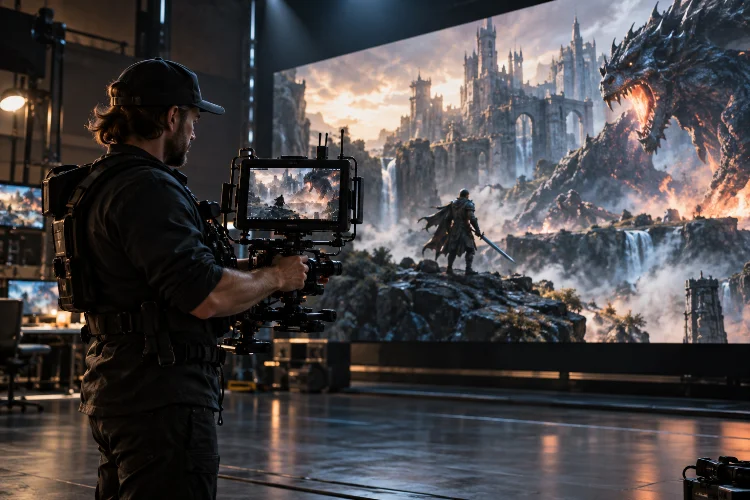
Ever watched a game trailer that felt more like a Hollywood blockbuster than a video game advertisement? The breathtaking camera movements, dramatic close-ups, and perfectly timed action sequences probably had something to do with it.
Behind those impressive visuals lies a combination of creative cinematography and sophisticated virtual camera technology.
Creating memorable game trailers isn’t simply about recording stunning gameplay. It’s about choosing the right perspective, controlling visual movement, and guiding viewers through an experience that builds excitement within seconds.
That’s where advanced virtual camera techniques for cinematic game trailers become incredibly valuable.
Modern game engines like Unreal Engine and Unity give filmmakers extraordinary control over digital cameras. From realistic lens simulations to elaborate tracking shots, creators can experiment with filming techniques that would be expensive, dangerous, or physically impossible in traditional filmmaking.
However, having powerful tools doesn’t automatically guarantee cinematic results.
In this guide, we’ll explore advanced virtual cinematography techniques, practical camera workflows, and creative strategies for producing game trailers that look professional, communicate gameplay clearly, and leave audiences wanting more.
1. Understanding Virtual Cinematography for Game Trailers
Virtual cinematography brings traditional filmmaking principles into digitally generated environments. Instead of positioning a physical camera on a real set, creators manipulate a digital camera inside a game engine or 3D production environment.
The core filmmaking principles remain surprisingly similar. Composition, lighting, camera movement, visual continuity, and emotional storytelling still determine whether a shot feels cinematic.
What changes is the freedom available to the camera operator.
Why Virtual Cameras Offer Greater Creative Freedom
Physical cameras are restricted by equipment, gravity, available space, and safety requirements. Virtual cameras can travel through narrow corridors, follow speeding vehicles, or move between enormous structures without those limitations.
Imagine a fantasy game trailer beginning with a camera flying through an abandoned castle. It passes between broken pillars, circles a glowing artifact, and follows a character emerging from the shadows.
In a virtual environment, that entire sequence can be designed with precisely controlled camera paths.
Still, unlimited freedom introduces a creative challenge. Movements that ignore physical logic can feel artificial, even when the graphics look incredibly realistic.
Professional-looking virtual cinematography often works best when digital freedom is balanced with believable camera behavior.
Designing Shots Around Emotional Intent
Before animating a camera, consider what viewers should feel.
A slow push-in can communicate tension, while an aggressive tracking movement creates urgency. A wide establishing shot communicates scale, whereas a tightly framed character close-up encourages emotional connection.
A useful planning approach is to assign each shot a specific purpose: reveal the setting, introduce a character, explain an ability, or deliver a memorable payoff.
This creates visual storytelling rather than a random collection of impressive footage.
2. Mastering Virtual Camera Lenses and Cinematic Composition
One of the biggest differences between ordinary gameplay footage and professional cinematic trailers is intentional lens selection.
Digital cameras can simulate the optical characteristics of physical filmmaking equipment. Understanding those characteristics helps creators shape perspective, depth, and visual emphasis.
Choosing the Right Focal Length
Focal length influences how much of the environment appears within the frame and how subjects relate visually to their surroundings.
Wide-angle lenses, such as 24mm or 28mm full-frame equivalents, work beautifully for showcasing massive landscapes, architectural environments, and energetic close-range action.
A 35mm or 50mm equivalent often provides a more natural perspective for character-driven scenes. Meanwhile, longer focal lengths, such as 85mm, help isolate characters and visually compress distant background elements.
These values are creative starting points rather than universal rules. The resulting field of view also depends on the camera’s sensor or filmback configuration.
For example, a futuristic racing trailer might use a wide lens mounted close to the road to emphasize speed. A longer lens could then isolate the driver’s expression before the final corner.
Using Depth of Field to Guide Attention
Depth of field determines how much of the scene appears acceptably sharp.
A shallow depth of field can separate a character from a detailed background, creating an intimate cinematic look. A deeper focus range allows viewers to study the environment and understand important gameplay information.
In Unreal Engine, the Cine Camera Actor provides filmback, lens, aperture, and focus controls designed to emulate real-world cinematography.
The key is avoiding unnecessary blur. If viewers cannot identify an important weapon, enemy, or interaction, the cinematic treatment may be working against the trailer.
Creating Stronger Composition
The rule of thirds, leading lines, silhouettes, and negative space remain useful tools in virtual environments.
Try positioning the main character slightly off-center while using architecture or environmental lighting to direct attention toward them.
For a horror trailer, placing a character at the edge of the frame can leave an uncomfortable amount of empty space. That seemingly empty area creates anticipation because viewers expect something to emerge.
Sometimes the most effective composition uses a subtile imbalance rather than perfect symmetry.
3. Advanced Camera Movement: Dollies, Cranes, and Tracking Shots
Camera movement gives cinematic sequences their physical energy.
However, movement should reveal information, support the action, or influence emotion. Constant motion simply because the software allows it can make a trailer exhausting to watch.
Creating Smooth Dolly and Tracking Movements
A dolly shot moves the camera through space, often toward, away from, or alongside a subject.
A slow dolly-in is particularly useful when introducing a mysterious character or approaching an important object. A lateral tracking shot can showcase combat choreography while maintaining a consistent viewing angle.
Unreal Engine includes Camera Rig Rail functionality that simulates movement along a customizable spline-based path. Creators can modify the track and animate camera positions in Sequencer.
For instance, imagine tracking a warrior running across a collapsing bridge. Rather than manually adjusting every camera position, a spline-based path can establish a smooth trajectory while the camera orientation keeps the character framed.
Building Dramatic Crane and Orbit Shots
Crane movements introduce vertical travel, allowing the camera to rise above characters or descend toward the action.
These shots are particularly effective when transitioning between intimate moments and large-scale environmental reveals.
An orbit shot moves around a subject while changing the background perspective. It can emphasize a new character design, powerful vehicle, or dramatic transformation.
The trick is maintaining a clear focal point. Excessive orbital speed may distort visual relationships and make the sequence difficult to follow.
Refining Motion With Animation Curves
Smooth movement depends on more than placing keyframes.
Linear interpolation maintains a constant rate of change, which can feel mechanical when used everywhere. Carefully shaped animation curves create acceleration, deceleration, and intentional pauses.
For a dramatic reveal, the camera might begin slowly, accelerate toward the subject, and gently settle as the music reaches a significant moment.
Watch for unintended slowdowns between nearby keyframes. Sometimes a constant-speed move is exactly what the shot needs.
Believable movement comes from controlled timing, not simply adding more animation points.
4. Using Camera Blocking, Parallax, and Focus Transitions
Great cinematography depends on the relationship between the camera, moving subjects, and surrounding environment.
This relationship becomes especially important in game trailers, where action can be unpredictable and environments contain enormous amounts of visual information.
Creating Cinematic Depth With Parallax
Parallax occurs when nearby objects shift across the frame faster than distant objects as the camera moves.
This visual effect helps communicate depth and gives digitally generated worlds a stronger sense of physical space.
Imagine a camera moving sideways through a ruined city. Foreground debris passes quickly, the main character moves more slowly across the composition, and distant skyscrapers appear relatively stable.
That contrast gives the shot dimensionality.
To enhance the effect, arrange meaningful foreground, middle-ground, and background elements rather than placing everything at similar distances.
Be careful with heavy foreground objects, though. Too much visual obstruction can hide the subject during an important action beat.
Coordinating Camera and Character Movement
Effective blocking means planning where characters move and how the camera responds.
For complex combat sequences, establish the character’s path before perfecting the camera animation. Then adjust the camera to preserve silhouettes, weapon visibility, and spatial continuity.
This prevents beautifully animated camera shots from becoming confusing once the action begins.
A practical technique is to maintain consistent screen direction during connected shots. If a character moves from left to right, reversing that direction without a clear spatial transition may disorient viewers.
Using Rack Focus for Storytelling
A rack focus shifts sharpness between subjects at different distances.
For example, a trailer might begin focused on a character’s face before shifting toward a threatening figure standing behind them.
This creates an immediate narrative reveal without requiring a camera cut.
Focus transitions should be coordinated with blocking and movement. Test them at the intended viewing size because an effect that looks obvious on a large monitor may become difficult to notice on a smartphone.
5. Combining Procedural Cameras With Handheld Cinematography
One of the most powerful virtual production approaches combines precisely animated shots with responsive camera behavior.
This hybrid method provides artistic control without making every movement feel perfectly computerized.
Understanding Procedural Camera Systems
Procedural camera systems automatically adjust camera positioning or rotation based on subjects and predefined rules.
Unity’s Cinemachine provides features such as Position Composer, Rotation Composer, tracking targets, damping, and spline-based camera movement.
These tools are useful when characters move dynamically or when animating every possible camera adjustment would require excessive manual work.
For example, a procedural camera can track a moving vehicle while allowing a controlled amount of lag.
That delay suggests the weight of a physical camera rig responding to motion rather than instantly matching every movement.
The best results usually come from combining automatic framing with deliberate creative constraints.
Adding Believable Handheld Camera Motion
Handheld cinematography introduces slight instability, which can increase immediacy and emotional intensity.
In action trailers, carefully controlled camera shake can make explosions, heavy footsteps, and weapon impacts feel more powerful.
However, random movement rarely produces convincing realisim.
Instead, consider how a physical camera operator would react. A sudden impact might produce a quick positional disturbance followed by a slower recovery.
Lower-frequency sway can suggest body movement, while brief high-frequency vibrations may reinforce mechanical impacts.
Keep the amplitude proportional to the event. A quiet conversation shouldn’t resemble an earthquake unless that instability serves the story.
Recording Natural Camera Performances
Virtual camera recording provides another way to introduce organic movement.
Unreal Engine’s Take Recorder can capture camera motion, focal lengths, and other performance data, allowing creators to work with recorded takes inside Sequencer.
This approach is valuable when a manually performed camera movement feels more natural than a perfectly calculated spline.
A useful workflow is to record several camera performances, select the strongest one, and refine problematic sections afterward.
That preserves expressive imperfections while removing distracting technical errors.
6. Editing Camera Shots for Cinematic Rhythm and Visual Continuity
Even the most beautiful virtual camera animations can fail when the editing lacks purpose.
A compelling game trailer relies on how individual shots connect, not merely how impressive each shot looks independently.
Building Momentum Through Shot Duration
Shot duration influences how viewers experience a scene.
Longer takes provide space for atmosphere, character development, and environmental discovery. Shorter cuts increase perceived intensity and can make combat sequences feel faster.
Consider a hypothetical 75-second action trailer.
The opening might use slower establishing shots to introduce the world. The middle section could transition toward shorter character and gameplay shots, followed by rapid combat highlights near the climax.
The final moments might return to a slower camera movement, creating contrast before the title reveal.
There is no universal shot length that guarantees engagement. Rhythm should follow the narrative, music, and complexity of the imagery.
Connecting Camera Movements Across Cuts
Motion continuity helps consecutive shots feel connected.
If one shot ends with a fast rightward camera movement, beginning the next with related motion can create a smooth visual transition.
Alternatively, an intentional contrast between movement and stillness can emphasize a dramatic moment.
Match cuts offer another technique. A circular mechanical object might transition into a similarly shaped moon, connecting two scenes through composition.
These transitions are most effective when they serve a meaningful visual idea.
Synchronizing Camera Movement With Sound
Sound design should influence camera decisions from the earliest editing stages.
A bass impact can coincide with a powerful push-in, while a musical crescendo may support a gradual crane movement revealing an enormous environment.
Rather than cutting mechanically on every beat, vary the relationship between sound and imagery.
Sometimes holding the camera completely still before a major impact creates greater anticipation than constant movement.
Strong editing makes camera transitions feel intentional, even when audiences cannot explain why they work.
7. Optimizing Rendering Quality and the Final Production Workflow
Advanced camera animation is only one part of producing a polished cinematic game trailer.
Rendering settings, motion blur, lighting consistency, and technical quality control determine whether the finished footage preserves the intended visual style.
Balancing Frame Rate and Motion Blur
Frame rate influences the visual character of movement.
A 24 fps presentation can create a familiar cinematic cadence, while 30 fps may better align with certain marketing formats. Higher frame rates can be useful when emphasizing clarity or smooth action.
Motion blur also matters.
A conventional starting point is a 180-degree shutter angle, equivalent to approximately 1/48-second exposure at 24 fps. Virtual rendering systems may represent this through shutter settings, motion blur controls, or temporal sampling.
Unreal Engine’s Movie Render Queue supports temporal and spatial samples to improve image quality, including anti-aliasing and motion blur.
Increasing sample counts can improve the final image, but it also requires additional rendering work. Test demanding scenes before committing to a full-resolution export.
Maintaining Consistent Visual Quality
Camera movement can reveal rendering problems that remain invisible in static screenshots.
Fast tracking shots may expose temporal artifacts, unstable reflections, foliage shimmer, or inconsistent depth-of-field behavior.
Check each scene for distracting visual elements, especially when the camera passes through detailed geometry.
A technically impressive enviroment is not necessarily a readable one. Strong lighting contrast and clean silhouettes are often more valuable than overwhelming amounts of visual detail.
Building an Efficient Trailer Production Pipeline
An efficient workflow begins with storyboarding and basic camera blocking.
Use rough geometry, simplified lighting, and low-cost preview renders while exploring shot ideas. This allows creative experimentation without repeatedly processing expensive final-quality sequences.
Once the visual language works, refine animation curves, focus changes, environmental effects, and lighting.
Organize camera sequences, takes, and render presets consistently. Keeping alternate shots seperate from approved material makes revisions easier when the trailer changes.
Before delivery, review the trailer at its actual distribution resolution and aspect ratio. Check for clipped subjects, missing frames, audio synchronization problems, and important details hidden behind interface overlays.
Finally, preserve the distinction between cinematic presentation and actual gameplay. A trailer can be visually ambitious without implying that scripted cinematic moments represent unrestricted player control.
That balance helps create excitement while maintaining audience trust.
Mastering advanced virtual camera techniques for cinematic game trailers means understanding much more than camera animation. The most memorable trailers combine purposeful composition, realistic lens behavior, expressive movement, intelligent blocking, and carefully controlled editing.
Techniques such as spline-based tracking, procedural camera control, rack focusing, and cinematic motion blur give creators enormous flexibility. Yet their greatest value comes from supporting the story and helping viewers understand what makes a game exciting.
Start by experimenting with a single short cinematic sequence. Test different focal lengths, movement curves, and editing rhythms, then compare how each version changes the emotional impact.
As your confidence grows, introduce more sophisticated camera rigs and rendering workflows.
Ready to make your next game trailer feel unforgettable? Open your favorite game engine, create a simple scene, and start directing the camera with intention. Great cinematic storytelling begins with one carefully designed shot.