

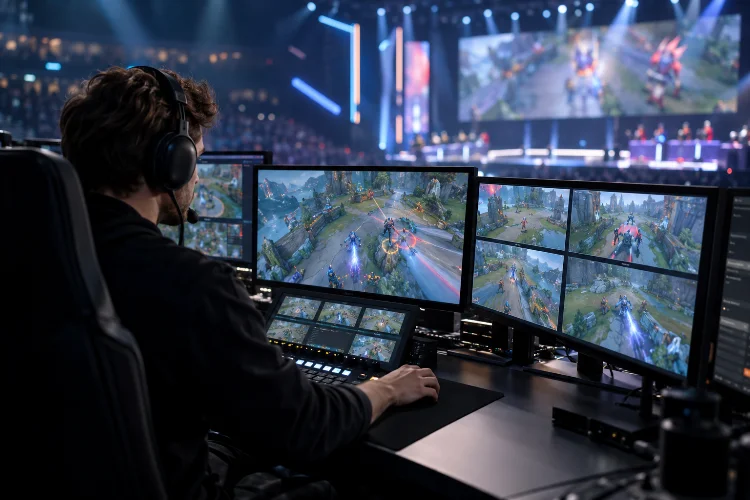
In competitive gaming, the most exciting moment can disappear in less than a second. A perfectly timed headshot, last-second objective steal, or risky overtake deserves more than a camera that drifts away just as the action happens.
That’s the challenge behind optimising camera movements for competitive gameplay footage.
Unlike cinematic trailers, competitive coverage must make speed, positioning, and decision-making easy to understand. Viewers need to see not only who won an exchange, but how it unfolded and why it mattered.
The best-looking camera movement isn’t always the most effective one. A dramatic zoom can hide a crucial opponent, while an elegant orbit might confuse spectators about where the action is heading. Even a small tracking delay can push an important ability outside the frame.
Whether you’re editing ranked highlights, directing an esports broadcast, recording tournament replays, or building a spectator camera inside a game engine, the same principle applies: clarity comes first.
This guide explores practical camera techniques, intelligent tracking systems, recording settings, and editing strategies that help competitive gameplay look professional without sacrificing authenticity.
1. Why Camera Movement Matters in Competitive Gameplay
Competitive gameplay footage has a different purpose from traditional cinematic content. Instead of simply making the action look impressive, it needs to communicate information while maintaining excitement.
A viewer should understand player positioning, tactical choices, environmental threats, and the outcome of an encounter without constantly guessing what’s happening.
Balancing Visual Style With Gameplay Clarity
Imagine watching a competitive first-person shooter match where the camera constantly rotates around the players.
The footage might look dramatic, but viewers would struggle to follow crosshair placement, enemy movement, and the sequence of engagements. The camera’s artistic style would interfere with the very skills the audience wants to observe.
A better approach combines controlled movement with stable visual references.
For example, during a tactical firefight, the camera should generally preserve the player’s aim, relevant sightlines, and nearby threats. Decorative movement can be introduced during quieter transitions or replay sequences.
This creates a balance between cinematic presentation and competitive readability.
Understanding Different Camera Perspectives
Competitive footage commonly relies on first-person, third-person, overhead, and free-camera perspectives.
First-person views reveal aiming precision and player reactions. Third-person perspectives communicate character movement and nearby positioning, while overhead views help explain team formations and strategic decisions.
Free cameras provide additional flexibility for observing multiple players and capturing important environmental details.
Each perspective serves a particular purpose, and effective coverage depends on choosing the one that best communicates the current action.
2. Creating Smooth Camera Tracking Without Losing Responsiveness
Smooth camera tracking is essential for professional-looking gameplay recordings.
However, excessive smoothing can introduce unwanted delay, making the camera feel disconnected from fast-moving subjects.
The goal is not to eliminate all movement variations. It’s to remove distracting motion while preserving the intensity and timing of competitive action.
Using Camera Damping and Interpolation
Camera damping controls how quickly a virtual camera responds when its target changes position.
Higher damping can create graceful movement, but it may also cause the camera to trail behind a fast character. Lower damping produces a more immediate response, although sudden directional changes can become visually harsh.
Unity’s Cinemachine Position Composer provides damping, dead zones, and lookahead controls for managing these behaviors.
For example, a third-person action game might benefit from stronger horizontal responsiveness during quick turns while using gentler vertical tracking to reduce unnecessary bouncing.
The ideal values depend on the game’s movement speed and the purpose of the footage.
Applying Predictive Camera Tracking
Predictive tracking estimates where a moving subject is heading and adjusts framing accordingly.
This is particularly useful for racing games, fast-moving action titles, and competitive sports simulations.
Consider a vehicle approaching a sharp corner. Instead of waiting until the car begins turning, a predictive camera can gradually shift toward the expected direction of travel.
That provides additional visual context and helps viewers anticipate the maneuver.
However, predictions can become unreliable during sudden reversals or unpredictable movement. Excessive lookahead may produce camera jitter, so prediction needs careful smoothing and testing.
Avoiding Abrupt Camera Acceleration
Sudden acceleration is another common problem in gameplay recordings.
A camera that instantly jumps from stationary to maximum movement speed can feel mechanical and uncomfortable. Using controlled acceleration and deceleration curves creates smoother transitions.
Still, not every movement needs a slow cinematic ease-in.
When tracking a rapid combat encounter, responsiveness should take priority over elegance. A subtile amount of smoothing is often enough to improve the presentation without hiding important reactions.
3. Improving Camera Framing and Subject Visibility
Good camera framing makes competitive gameplay easier to understand without requiring additional explanations.
It helps viewers identify players, projectiles, objectives, and environmental hazards while maintaining a clear sense of direction.
Poor framing does the opposite, even when the camera movement itself appears smooth.
Using Dead Zones and Smart Composition
A camera dead zone is an area of the screen where the tracked subject can move without immediately triggering camera repositioning.
This reduces unnecessary adjustments caused by small character movements.
For example, a fighting game camera might allow two characters to move within a central area before shifting to maintain their visibility.
Unity Cinemachine supports composition regions that help control this behavior.
The trick is choosing a dead zone that matches the gameplay. A large zone may work for slower encounters but become problematic during rapid movement.
Maintaining Visibility During Fast Action
During intense competitive moments, the camera should prioritise subjects that directly influence the outcome.
In a multiplayer battle, that might mean showing both the attacking player and the opponent rather than focusing too tightly on one character.
Camera operators can also preserve visibility by anticipating movement around obstacles.
If a character runs behind a large structure, a spectator camera may need to change elevation or switch perspective rather than allowing the structure to block the entire encounter.
Managing Camera Collision
Third-person cameras can occasionally pass through walls or become trapped behind environmental objects.
Unreal Engine’s Spring Arm Component includes collision testing that helps prevent camera clipping by adjusting the camera’s distance from its target.
This is especially valuable in tightly designed arenas and indoor maps.
Test camera behavior around walls, stairs, narrow corridors, and unusual character positions. Reliable collision handling improves both visual quality and spatial understanding.
4. Choosing Camera Movements for Different Competitive Game Genres
Different esports genres require different cinematography strategies.
A camera system that works beautifully for a racing simulator may perform poorly in a tactical shooter. Understanding the pace and visual priorities of each genre helps creators make better decisions.
First-Person Shooters: Precision Over Decoration
In competitive FPS footage, aiming accuracy, movement mechanics, and reaction timing are central to the experience.
First-person perspectives are usually the clearest way to demonstrate those skills.
Avoid artificial camera shaking or excessive motion blur that makes crosshair placement difficult to observe.
For highlight edits, use spectator angles to establish the encounter before returning to the player’s perspective for the decisive action.
This combination provides context without losing the authenticity of the original performance.
MOBAs and Strategy Games: Tactical Awareness
Games like League of Legends and Dota 2 involve multiple players, ability effects, and objectives appearing simultaneously.
Camera movement should communicate broader tactical information rather than following a single character through every moment.
Wider views are particularly useful during team fights because they show positioning, engagement angles, and retreat routes.
When highlighting an individual player, controlled zooming can draw attention to a specific maneuver without completely removing surrounding context.
Racing and Sports Games: Direction and Momentum
Competitive racing footage benefits from smooth tracking, stable horizons, and consistent screen direction.
A chase camera can communicate driving precision, while a trackside angle makes vehicle speed and positioning easier to compare.
For sports simulations, sideline or elevated perspectives often provide better tactical awareness than dramatic close-ups.
The best movement style depends on what viewers need to understand: individual control, speed, player spacing, or the complete competitive situation.
5. Optimising Field of View, Camera Angles, and Motion Effects
Field of view, or FOV, determines how much of the game world appears inside the frame.
It directly affects spatial awareness, perceived speed, and the amount of visual information available to viewers.
However, wider framing isn’t automatically better.
Finding an Effective Field of View
A wider FOV reveals more surrounding information but makes distant subjects appear smaller.
A narrower FOV can help viewers focus on important targets, although it reduces peripheral context.
For example, a broad spectator view might help explain how a team approaches an objective. A tighter perspective could then highlight an individual player’s aiming mechanics.
When capturing authentic player-perspective footage, preserve the original gameplay FOV unless the adjustment is clearly part of an edited presentation.
Be careful when comparing FOV values across games, because some use horizontal measurements while others use vertical measurements.
Controlling Motion Blur and Camera Shake
Motion blur can create a sense of speed, but excessive blur hides details during rapid movement.
In competitive footage, that can make weapon animations, player silhouettes, and precise timing harder to analyse.
For most gameplay highlights, restrained motion blur is a safer starting point than a heavily cinematic treatment.
The same applies to camera shake.
Although shaking can make explosions or impacts feel powerful, it should not obscure crosshair movement or create false impressions about player control.
Keep artificial effects seperate from authentic gameplay footage when accurate skill evaluation matters.
Maintaining a Stable Visual Horizon
A stable horizon provides viewers with a reliable point of reference.
Excessive camera roll can make vehicle movement, character orientation, or map geometry difficult to interpret.
Small amounts of roll may communicate banking or environmental forces, especially in racing footage.
However, dramatic rotation should be reserved for moments where it genuinely improves the viewer’s understanding or emotional experience.
6. Advanced Spectator Cameras and Multi-Camera Transitions
Spectator systems are among the most useful tools for competitive gameplay production.
They allow observers to follow players, inspect important map locations, and switch perspectives without directly participating in the match.
Well-designed spectator camera workflows are especially important during live esports broadcasts.
Combining Free Cameras and Player Tracking
Unreal Engine provides a Spectator Pawn framework that supports free movement through virtual environments.
This allows developers to create spectator systems with flexible camera control.
A free camera is useful for establishing locations and explaining tactical setups. Player-locked views provide greater accuracy when following individual actions.
An effective production workflow combines both approaches.
For example, an observer might begin with an overhead view of two teams approaching an objective, then switch to a player perspective as the engagement begins.
The transition gives viewers context before presenting the decisive moment.
Using Multi-Target Camera Systems
Multi-target framing is valuable when several competitors need to remain visible.
Unity’s Cinemachine Target Group allows multiple objects to contribute to a shared tracking target, supporting group-based camera behavior.
This is particularly useful for fighting games, sports simulations, and smaller multiplayer encounters.
Rather than constantly switching between competitors, the camera can adjust its position or framing to maintain an overview.
However, keeping every player visible may make the main action too small. Prioritise the subjects involved in the immediate exchange.
Timing Camera Cuts Around Important Events
Camera switching requires careful timing.
Cutting during a critical action can interrupt the viewer’s understanding, particularly if the new perspective reverses screen direction.
Whenever possible, make perspective changes before an expected engagement or after an exchange concludes.
For live events, observers must balance anticipation with unpredictability. Recorded replays allow more deliberate shot selection and smoother transitions.
Competitive integrity also matters. Extra spectator information should never be presented as though it was available to the player during the original match.
7. Recording High-Quality Gameplay Without Sacrificing Performance
Camera technique alone cannot guarantee professional-looking footage.
Recording quality, frame pacing, and encoding settings can significantly influence the final result.
Even perfectly framed action will look disappointing if the capture contains dropped frames or compression artifacts.
Choosing the Right Frame Rate
For many competitive gameplay videos, 60 frames per second provides a useful balance between smooth movement and manageable file sizes.
It helps preserve rapid camera turns, projectile motion, and character animations.
Recording at 120 fps can provide additional flexibility when creating slow-motion replays, assuming the capture hardware and software support stable recording.
For example, 120 fps footage can be played at half speed on a 60 fps timeline while retaining a unique captured frame for each output frame.
However, high frame rates require additional processing and storage resources.
Choose recording settings that your system can sustain during demanding gameplay rather than selecting the highest available number.
Configuring OBS for Gameplay Capture
OBS Studio is widely used for capturing PC gameplay and esports content.
Its Game Capture source can directly capture supported games on Windows, making it a useful option for high-performance recording setups.
Hardware encoders can reduce CPU encoding workloads by using specialised video encoding hardware.
That can help maintain gameplay performance, although overall results depend on the GPU, recording settings, and available system resources.
Before recording an important match, conduct a test during an intense gameplay sequence.
Check for dropped frames, inconsistent frame pacing, audio synchronization problems, and unexpected performance reductions.
Selecting Resolution and Video Bitrate
Recording at 1080p60 is a practical starting point for many competitive content creators.
Higher resolutions such as 1440p or 4K can preserve additional visual detail, especially when viewers need to read small HUD elements or when the editor plans to crop the footage.
According to YouTube’s recommended SDR upload settings, 1080p at high frame rates has a reference bitrate of 12 Mbps, while 1440p at high frame rates is listed at 24 Mbps.
These figures are upload recommendations, not universal recording-master requirements.
For editing, a higher-quality source may provide more flexibility before final compression.
Keep capture and export frame rates consistent unless you’re deliberately creating a slow-motion sequence or another controlled speed effect.
8. Editing and Testing Camera Movements for Maximum Impact
The final stage of competitive gameplay production involves evaluating how well the camera communicates the action.
This requires more than checking whether the footage looks visually attractive.
A successful edit should help viewers understand the sequence of events, recognize meaningful player decisions, and appreciate the competitive skill involved.
Building a Clear Gameplay Narrative
Start each highlight by establishing enough context.
A short opening shot might show the player’s position, remaining opponents, or the objective being contested.
Then allow the decisive action to unfold without unnecessary interruptions.
Afterward, a replay or alternative spectator angle can explain details that were difficult to notice in real time.
This structure creates anticipation while keeping the original gameplay understandable.
Synchronizing Camera Movement With Editing Rhythm
Music and sound effects can improve pacing, but they shouldn’t determine every camera decision.
A dramatic soundtrack might encourage fast cuts, yet important tactical information often requires longer uninterrupted shots.
Try matching major visual transitions with meaningful gameplay events rather than cutting on every musical beat.
For example, a camera transition following a successful elimination can feel natural because the visual narrative has reached a clear turning point.
The goal is to make editing support the competition rather than compete for attention.
Measuring Camera Quality Through Viewer Testing
Camera optimisation benefits from repeated testing with real viewers.
Create two versions of the same gameplay highlight using different tracking and framing approaches.
Ask viewers which version makes it easier to identify the players involved, understand the objective, and follow the decisive action.
You can also measure practical indicators such as how often the primary subject disappears, how many important events occur outside the frame, and how frequently the camera changes perspective.
These observations are more useful than relying only on personal preference.
If viewers repeatedly lose track of the action during quick turns, the tracking behavior may need adjustment.
If they struggle to understand positioning, the framing may be too narrow or the editing too aggressive.
A consistant testing process helps reveal problems that become easy to overlook after watching the same footage repeatedly.
Creating a Repeatable Production Workflow
Once you’ve found settings that work, save camera presets for different gameplay situations.
A practical setup might include an overview camera, a player-follow camera, a tactical spectator view, and a separate configuration for cinematic replays.
Keep these presets organised and document their intended use.
This reduces setup time, improves consistency, and makes it easier to maintain production quality across multiple matches.
Most importantly, continue reviewing your footage from a viewer’s perspective.
The best camera system isn’t necessarily the most complicated one. It’s the system that makes competitive moments exciting, informative, and easy to follow.
Mastering optimising camera movements for competitive gameplay footage involves balancing visual quality, smooth tracking, and competitive accuracy.
Effective camera work helps viewers follow fast-paced action, understand tactical decisions, and appreciate impressive player performances.
From damping adjustments and predictive tracking to spectator cameras and high-frame-rate recording, every technical choice should serve the gameplay.
Remember that cinematic movement doesn’t always produce better competitive footage. Sometimes a stable camera and carefully timed perspective change communicate far more than an elaborate tracking shot.
Start by reviewing your existing recordings and identifying moments where camera movement makes the action difficult to follow. Experiment with different tracking settings, framing approaches, and editing rhythms until those moments become clearer.
Ready to improve your competitive gameplay videos? Build a few reliable camera presets, test them during real matches, and turn every highlight into a more engaging viewing experience.